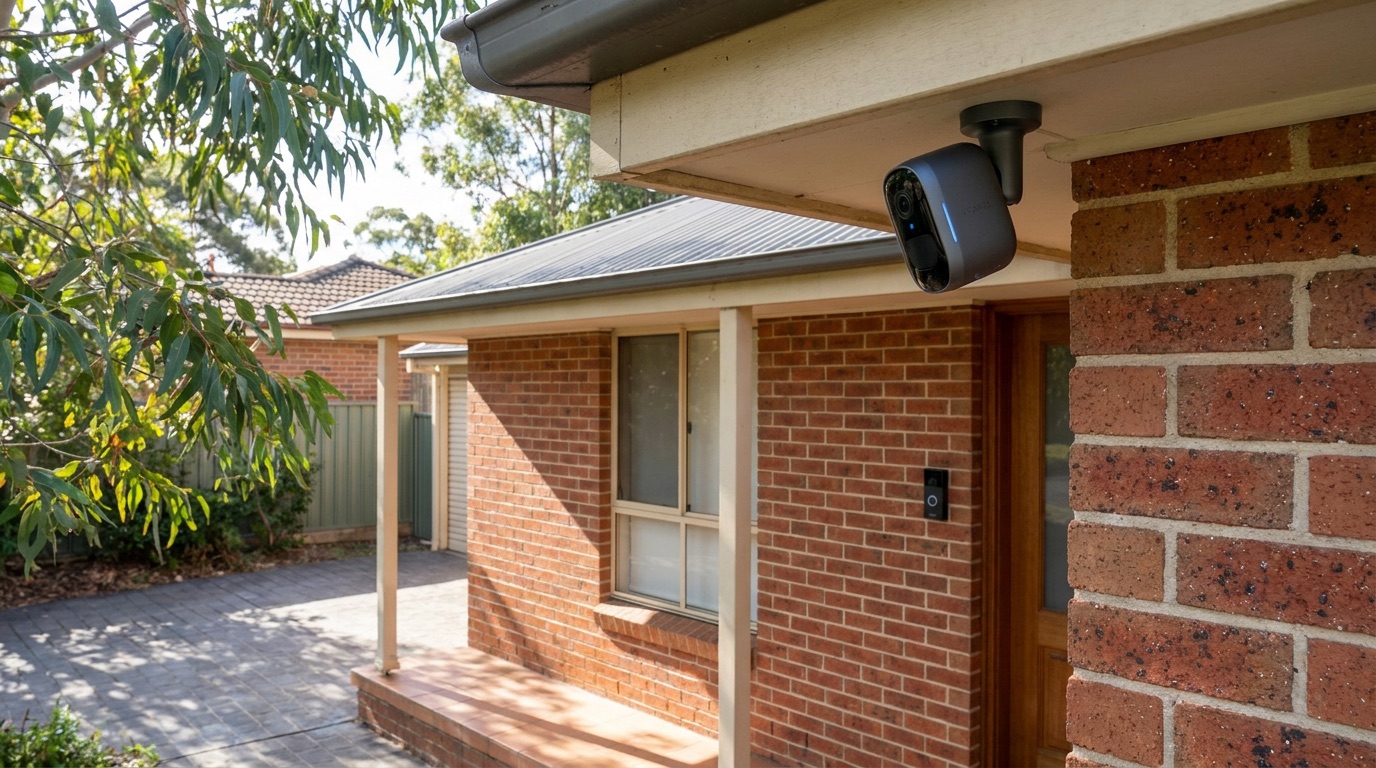
“What’s the best home security camera?” is one of the most common questions we get, and the honest answer is the same one we give about the NBN: it depends on your home. A renter in an apartment needs something very different from an owner on a big block with a long driveway. This is a practical, installer’s-eye guide to choosing well in 2026 — and where Arlo, one of the brands we fit most often, is worth it.
Quick note on honesty first: Birch Tech is an independent, licensed installer, and we’re an Arlo affiliate — if you buy through our links we may earn a small commission at no extra cost to you. It never changes what we recommend. See the full note on our smart security & access service page.
Start with what you’re actually protecting
Before brands and specs, get clear on the job:
- Entry points first. Front door, back door, driveway/garage, and any side access. A few well-placed cameras beat a dozen pointed at fences.
- Renting or owning? Renters usually want wireless, no-drilling, take-it-with-you kit. Owners can justify a wired system with local recording.
- Do you want to watch or act? Passive recording is cheap. A system that sends smart alerts, lets you talk to a visitor and ties into lights is more useful day to day.
If you’re not sure how much coverage you need, that’s exactly what a free on-site assessment sorts out — we map the blind spots before you spend a cent.
Wired vs wireless: the real trade-off
Wired (IP cameras + an NVR) gives you continuous recording, no batteries to charge, and footage stored locally on your own recorder. It’s the stronger choice for owners who want set-and-forget coverage — but it needs cabling run properly, which is a job for a licensed installer.
Wireless (like Arlo) trades some of that for flexibility: no cable runs, quick to fit, easy to move, and controlled entirely from an app. Modern wireless cameras have closed much of the old quality gap. The trade-offs are battery charging (or a nearby power point) and reliance on your Wi-Fi — so whole-home Wi-Fi coverage matters more than people expect.
For a lot of Sydney homes — especially renters, apartments, and anyone who doesn’t want walls opened up — wireless wins on practicality.
Where Arlo fits
Arlo is a globally recognised smart-home security brand: wireless cameras, video doorbells and full systems, with crisp day-and-night video, smart person/vehicle detection and easy app control. It’s a strong fit if you want:
- Wireless, tidy installs with no cabling tearing up the house.
- A video doorbell to see and speak to whoever’s at the door from your phone.
- A single app for cameras, doorbell and accessories that plays nicely in a broader smart-home setup.
Browse the current Arlo range here to see the cameras, doorbells and bundles available in Australia.
What we like
- Genuinely good image quality and low-light performance.
- Smart detection that cuts down on useless “a car drove past” alerts.
- Easy to expand — start with a doorbell and one camera, add more later.
- Slots straight into an app-controlled smart security system.
Go in with eyes open
- Batteries need charging (or wire the cameras to power where you can).
- It leans on your Wi-Fi — weak coverage at the back of the house means dropouts, so fix the network first.
- Some features sit behind an Arlo Secure subscription (like cloud recording and richer detection). The hardware works without it, but decide up front whether you want the subscription features — buy the cameras for the job, not the monthly plan.
How to choose, quickly
- Resolution: 2K is plenty for general coverage; step up to higher resolution at the key entry point where you want to identify faces or plates.
- Power: battery for flexibility, wired-to-power for set-and-forget. Mix both.
- Storage: local (a hub) vs cloud (subscription). Local avoids ongoing fees; cloud is convenient. Many people run a hub for local recording.
- Coverage: match camera count to entry points and blind spots — not to a bundle on a shelf.
Prices change constantly and vary by bundle, so we won’t quote a figure that’s wrong next week — check Arlo’s current range and pricing here.
The bit most guides skip: the install
Here’s what we see on the ground. People buy a great camera kit, then the doorbell drops off Wi-Fi, a camera stares at a wall, or the footage never covers the spot that actually mattered. The gear was fine — the setup wasn’t.
That’s the half we handle. We’ll help you choose the right Arlo kit, mount it for real coverage and clear faces (not just wide shots), make sure your home Wi-Fi actually reaches every camera, and bring it all into one app with alerts you can trust — as part of our smart security & access service. Buy the gear through our link, and we’ll get it working properly the first time.
Frequently asked questions
Are Arlo cameras good for Australian homes? Yes — Arlo is widely used in Australia, sold locally with AU support, and its wireless design suits our mix of older homes and new builds. Just make sure your Wi-Fi covers where the cameras go.
Do I need the Arlo subscription? No — the cameras work without it. A subscription (Arlo Secure) adds cloud recording and richer detection; local recording via a hub is the no-ongoing-fee alternative. Choose based on whether you want those extras.
Wired or wireless for my place? Renters and quick coverage: wireless (Arlo). Owners wanting continuous, local-recorded coverage: a wired NVR system, or a mix. A quick assessment settles it for your specific property.
Can Birch Tech supply and install Arlo? Yes. We recommend, supply and professionally install Arlo across Sydney, integrated into a single-app security setup. Call 1300 287 256 for a free quote.
The bottom line
Arlo earns its spot as a top pick for wireless home security in Australia: sharp video, smart alerts, easy to live with, and easy to expand. Pair it with proper placement and solid Wi-Fi and it does exactly what you want. See the current Arlo range, or get a free, no-pressure security assessment and we’ll tell you straight what your home actually needs.